
A logo may look perfect on a website and still be difficult to reproduce on a small product panel. For brand owners and wholesale buyers, understanding mini massage gun logo file requirements before requesting a quote can prevent unclear pricing, repeated artwork revisions, and delays in sample approval.
The goal is to give the manufacturer enough information to assess how your identity will appear on the selected model. That means sending more than a logo image. The most useful submission includes an editable master file, color references, placement guidance, and details about the quantity and markets you plan to serve.
This guide explains what to prepare, what to confirm with a supplier, and how to approve the artwork before a bulk order.
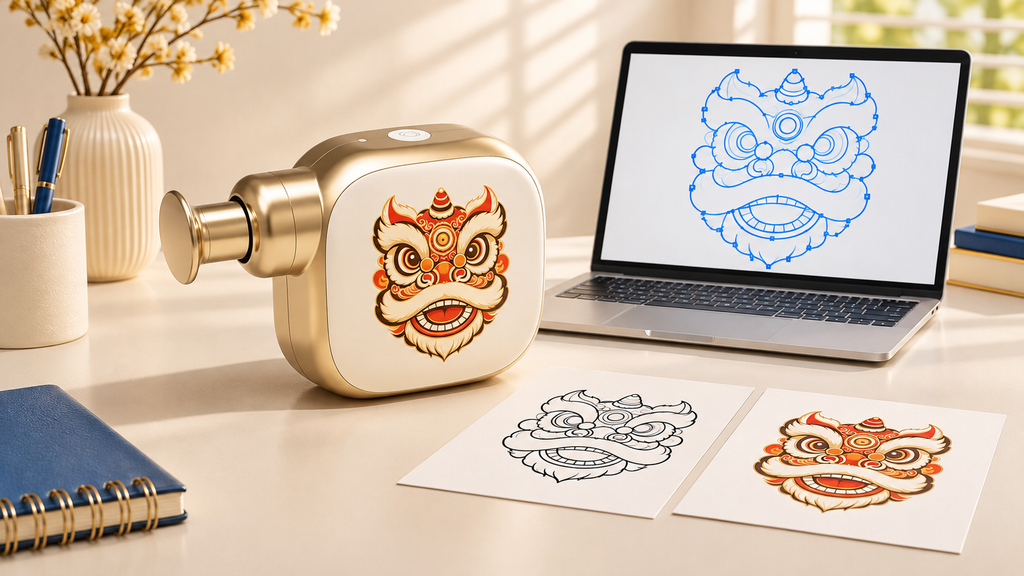
Mini Massage Gun Logo File Requirements: Which Format Should You Send?
Start with the original logo file from your designer. A vector logo for massage gun branding is usually the most useful master because its shapes can be resized without the soft edges that appear when a small image is enlarged. It also makes it easier to inspect individual colors and fine details.
A filename alone does not prove that artwork is editable. For example, a PDF may contain vector paths, or it may simply contain a low-resolution image placed on a page. Ask your designer to confirm what is inside the file.
| File type | Best use in a supplier handoff | What to check |
|---|---|---|
| AI | Editable master artwork when the supplier can work with Adobe Illustrator files | Include linked graphics and resolve fonts |
| EPS | An alternative vector format | Confirm the logo is made of paths, not just an embedded image |
| Review copy or production artwork, depending on how it was exported | Confirm vector elements remain intact and the dimensions are correct | |
| SVG | A scalable logo reference | Confirm the supplier accepts it in their production workflow |
| PNG or JPG | Visual reference, mockup, or listing image | Do not assume it can replace an editable master |
If you only have a PNG, send it for an initial feasibility discussion. Do not create an AI or PDF file by simply placing that PNG inside it and assume the logo has become vector artwork. The supplier may need to redraw the design, which can affect cost and timing.
Include Fonts, Linked Images, and Logo Variations
An editable file can still open incorrectly if it depends on a missing font or an image stored on your designer’s computer. Ask your designer to package the source document with its linked assets, or provide an approved version with text converted to outlines. Keep an editable text version in your own records for future changes.
Send the logo variations your brand actually permits:
- Full-color master logo
- One-color version for processes with limited color options
- Reversed or white version for a dark panel
- Approved horizontal and stacked versions, if both exist
- Brand color references and clear-space rules
These versions should come from your brand guidelines. A supplier should not have to invent a one-color version by guessing which details to remove. If the logo contains gradients, shadows, very thin lines, or tiny lettering, identify which elements are essential. A simplified approved variation may be more practical at a small finished size.
Request the Print Area for the Exact Model
A mini massage gun is a physical object with edges, seams, buttons, and differently shaped surfaces. A logo that looks balanced on a flat computer mockup may sit too close to an edge when applied to the actual product.
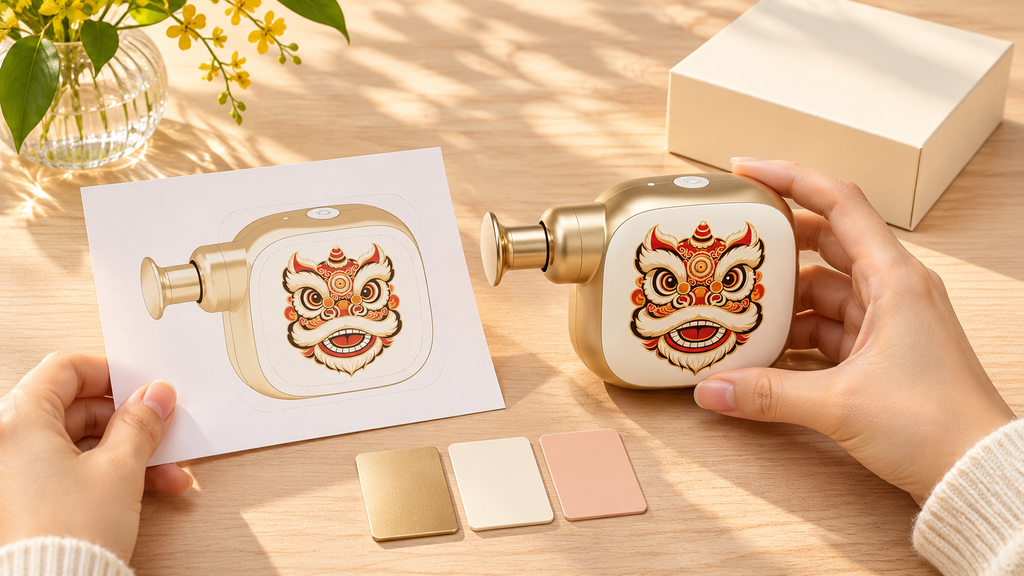
Before finalizing the design, ask for a print-area drawing or placement template for the specific model and panel you intend to order. Confirm the maximum artwork area, recommended orientation, and any zones that should remain clear. If you are considering more than one model, do not assume that the same artwork dimensions will work on all of them.
Show the logo at its intended finished size, preferably in millimeters, rather than saying “make it prominent.” A useful instruction might identify the selected panel, the desired logo width, whether it should be centered, and which direction should be considered upright when a customer holds or photographs the product.
The manufacturer should then confirm what is feasible for the chosen surface and marking process. Exact limits should come from the approved model and production method, not from a generic online template.
Separate Panel Color From Logo Color
“Match our brand blue” can refer to several different things: the plastic panel, the printed logo, or the paper gift box. Those surfaces may use different materials and production processes. A color that looks consistent on a monitor may not appear identical on each finished component.
Provide a named color reference, such as the relevant Pantone code, when your brand has one. Also send your brand guidelines and state whether the reference applies to the product body, logo ink, packaging, or all three. If color matching is critical, request a physical sample and agree on how it will be assessed before production.
Ask the supplier whether your requested panel color is available for the chosen model and quantity. Treat a digital rendering as a communication tool rather than the final color standard. For a campaign with several products, identify which element must match most closely and where a reasonable visual variation is acceptable.
Prepare Packaging Artwork as a Separate File
Product decoration and packaging are related, but they are not the same artwork task. A logo positioned correctly on the massage gun will not automatically fit the box, sleeve, insert card, or instruction manual.
Request the packaging template for the box style being quoted. Prepare its artwork to that template and confirm which information your team will supply, including product name, model number, color variant, company details, and any market-specific text. Buyers serving the United States, Europe, the United Kingdom, South America, or Southeast Asia should identify their destination countries early so packaging and language requirements can be reviewed for the actual order.
Keep product and packaging files clearly separated. This helps the supplier quote the intended scope and reduces the chance that a revised box design is mistaken for a revised product logo.
A Practical Branding Artwork Checklist
Before requesting a custom sample, assemble one folder containing the following:
- Editable master logo and an easy-to-view PDF
- Approved one-color and reversed logo versions, where applicable
- Brand color references and any available physical color sample
- The chosen mini massage gun model and preferred panel color
- A marked image showing the proposed logo position and orientation
- Requested logo size or the instruction to confirm the maximum feasible size
- Packaging artwork or a description of the packaging you need
- Target quantity, destination countries, and required delivery date
- The name of the person authorized to approve the final design
Use clear filenames such as Brand_Model_Logo_Black_v03.ai. Mark one version as current and archive earlier versions. If a distributor, design agency, and importer are all involved, specify who has final approval authority. This small administrative step can prevent an outdated file from reaching production.
Approve the Right Proof Before You Approve Production
Different approvals answer different questions. A digital mockup helps you judge the overall look. A placement proof confirms the agreed size and position. A physical sample lets you inspect the actual surface, color, and reproduction of small details.
For a larger branded order, ask which proof stages are available and what each one costs. When reviewing a sample, check the logo from normal viewing distance as well as close up. Inspect its alignment, orientation, edge quality, contrast, and relationship to buttons and seams. Compare the product with its box and manual so the branding reads as one collection.
Record your approval in writing with the artwork version, model, color, placement, and sample reference. If you later change the logo or panel color, ask whether that change requires a new proof, a revised quote, or a different production schedule. An approved sample is only useful when everyone knows exactly which specification it represents.
Questions to Ask Before Accepting a Quote
A capable supplier should be able to discuss the practical consequences of your artwork, not just say that customization is possible. Send the same brief to each supplier and ask:
- Which logo file will you use as the production master?
- What is the printable area on this exact model?
- Which marking method do you propose for this artwork, and why?
- Can you reproduce the fine lines and small text at the proposed size?
- Are panel color, logo decoration, and packaging quoted separately?
- What proof or sample will we approve before bulk production?
- What happens if the artwork changes after sample approval?
The answers help you compare quotations on the same basis. A lower unit price may reflect a different print method, fewer colors, standard packaging, or a different sample process. Put the confirmed details into the purchase order rather than relying on a mockup or a message thread.
Conclusion: Send a Clear File, Then Confirm the Physical Result
The best way to meet mini massage gun logo file requirements is to send an editable master logo, approved variations, color references, and a clear placement brief for the exact model. Follow those files with a documented proof and, when appropriate, a physical sample.
For a brand owner, importer, distributor, online retailer, or corporate gift buyer, this process does more than make artwork easier to print. It makes the quote easier to compare and gives your team a defined result to approve.
If you are preparing a branded project, explore our customization preview and contact us with your logo, target quantity, destination, and packaging requirements. We can review the available options for your selected mini massage gun before you place an order.